Orange Money · MTN Mobile Money

Your mobile money, in one tap.

Send, withdraw, pay and check your balances without remembering a single USSD code. LeCoCash prepares the operation, your operator confirms it with your secret code.

FreeNo Internet for your operationsDual SIM
LeCoCash home: send, withdraw, pay
Orange and MTNrecognized from the number
Fees shownbefore you confirm
QR codesagents, merchants, Asso
Secret codenever in the app
Scroll
The app

All your mobile money, in one place.

Send

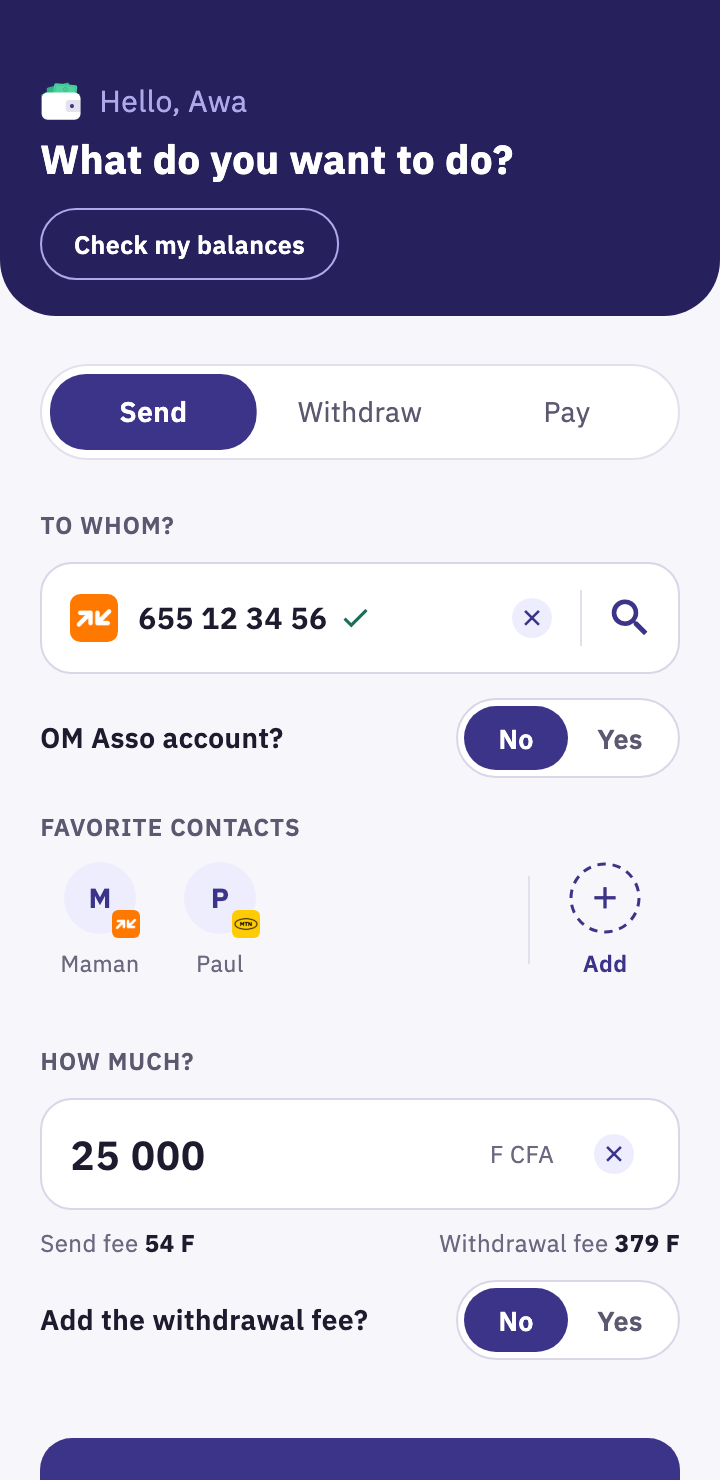
Send without remembering a single code.

A contact, a favorite or a number: LeCoCash recognizes Orange or MTN and shows the fees before you confirm.

  • Contacts and favorites
  • Sending and withdrawal fees shown
  • Cover the withdrawal fee, if you like
LeCoCash send screen with the fees shown
Withdraw

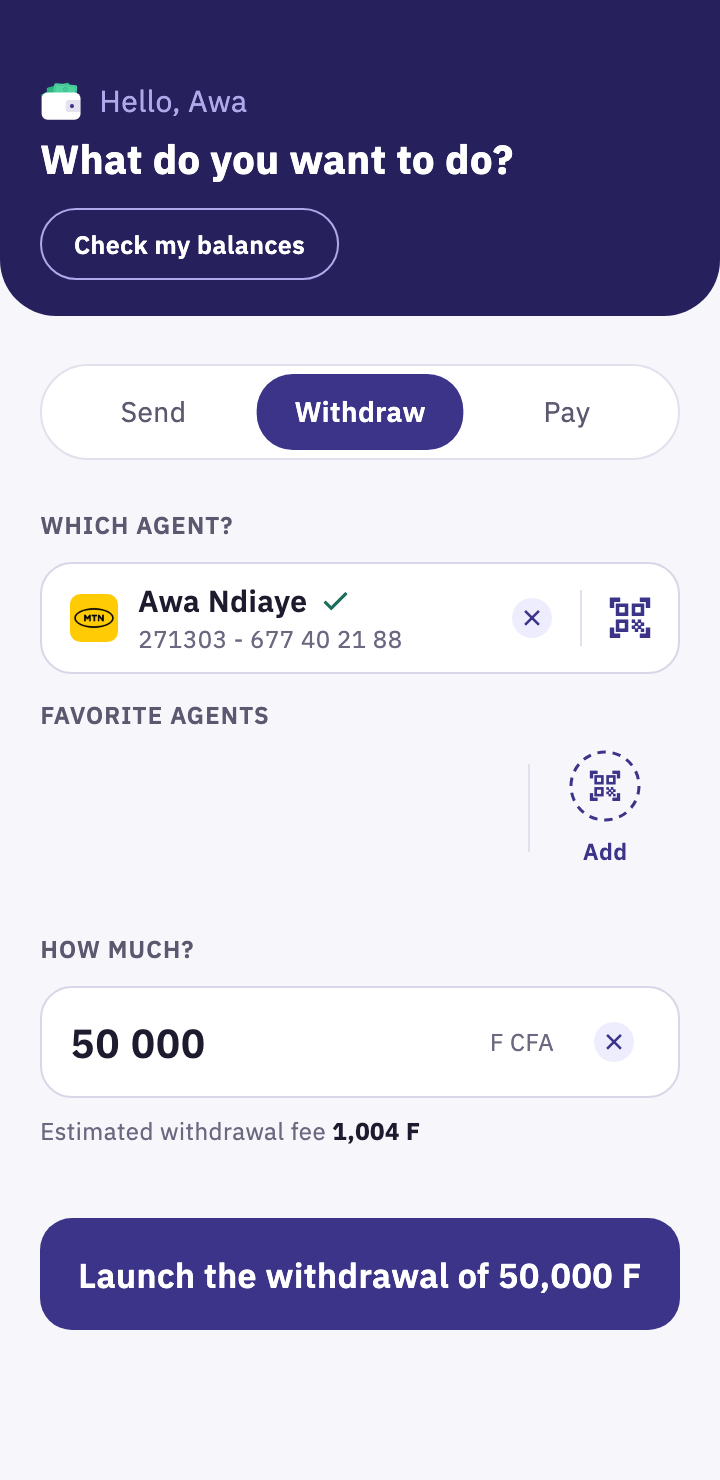
Withdraw cash from an agent with one scan.

Scan the agent's QR code: their code and number fill in automatically. No more typing mistakes at the counter.

  • Agent QR code
  • Favorite agents
  • Estimated withdrawal fee
Agent withdrawal screen
Pay

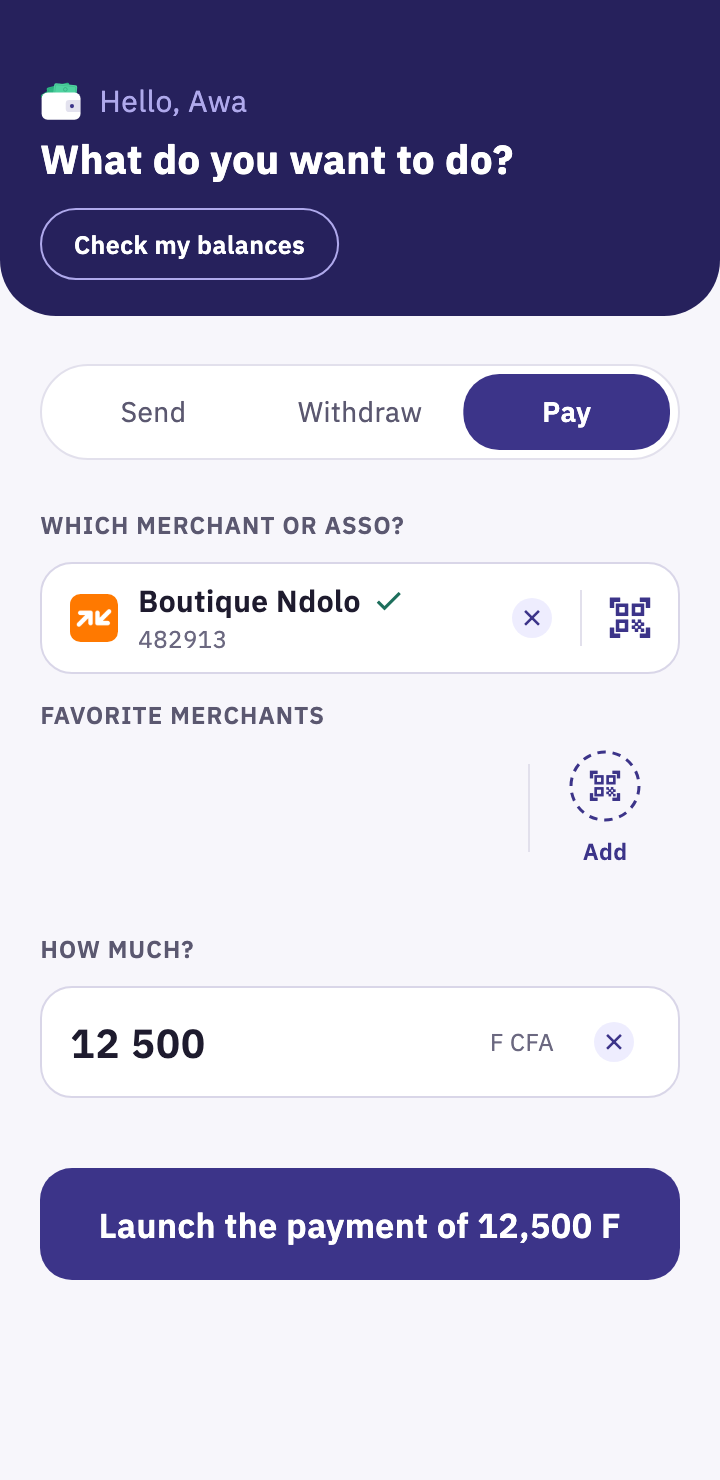
Pay a merchant or an OM Asso account.

The same steps for a shop or an OM Asso account: a scan, the amount, done.

  • Merchant or Asso QR code
  • Favorite merchants
  • Name shown before you pay
Merchant payment screen
Balances

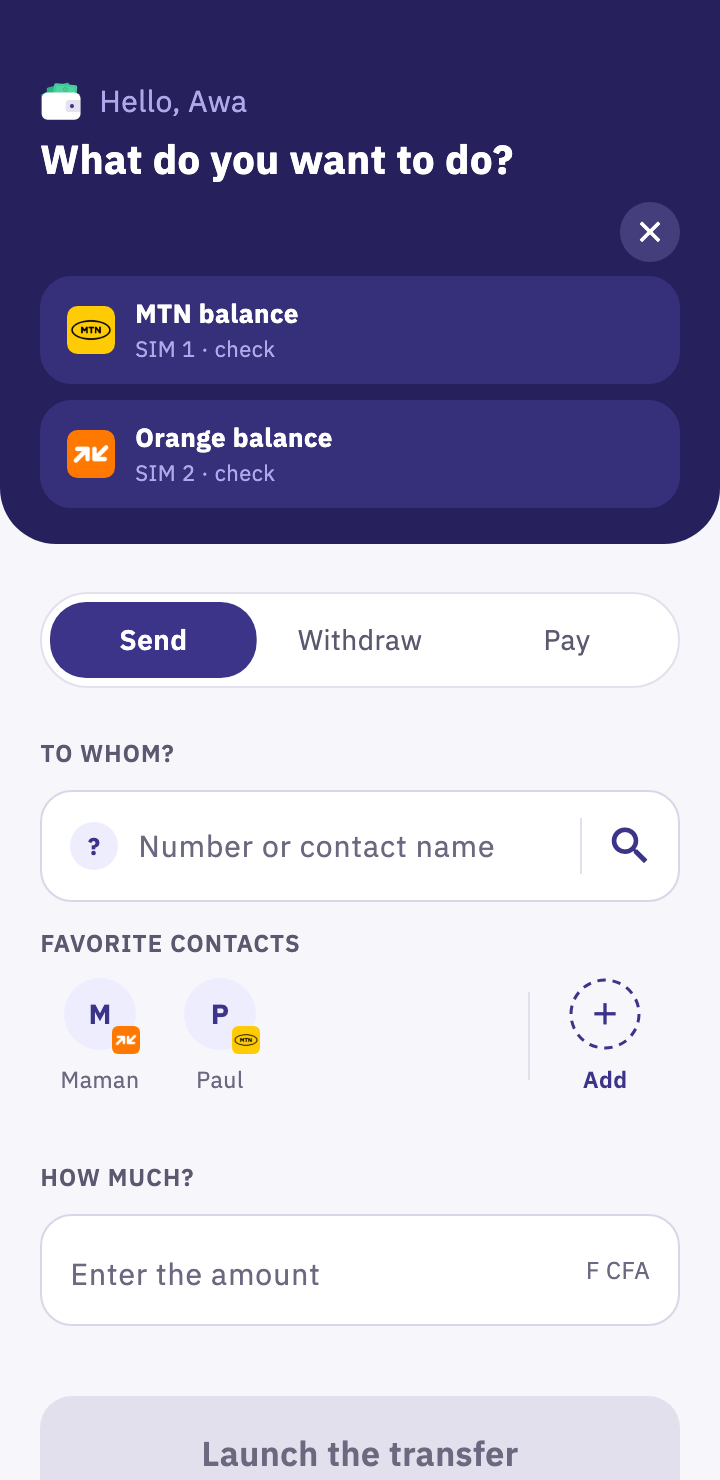
Your Orange and MTN balances, in one tap.

Two SIM cards? Each gets its own tile. One tap and your operator shows your balance.

  • Orange Money and MTN MoMo
  • Dual SIM
  • From the home screen
Orange and MTN balance tiles
Confirm

Your operator confirms. Your code stays secret.

LeCoCash dials the full code for you. You only type your secret code, on your operator's screen.

  • Code dialed for you
  • Secret code never in LeCoCash
  • Result sent by SMS from your operator
The operator's screen asks for the secret code
Before / with LeCoCash

No more endless menus.

An Orange transfer takes up to seven entries in the operator's menus. With LeCoCash, you choose in the app and only type your secret code.

Before

Entry after entry

  1. #150#Operator menu
  2. 1Choose the service
  3. 1Choose the option
  4. 655123456Recipient number
  5. 25000Amount
  6. 2Withdrawal fee
  7. ••••Secret code
With LeCoCash

You choose. You confirm.

LeCoCash dials the full code. You only type your secret code, on your operator's screen.

Security

Your money never leaves your operator.

LeCoCash does not hold your money and never sees your secret code. The app prepares, the operator confirms.

Secret code with the operator

You type it on the Orange or MTN screen, never in LeCoCash.

Not a bank, not a middleman

Your funds stay in your Orange Money or MTN MoMo account.

Encrypted history

On your phone, lockable with a code or your fingerprint.

Personal data never sold

It is never sold, and your address book never leaves your phone.

The LeCoCash operations screen
MMamanTransfer · 9:14 AM10,000 F
AAwa NdiayeWithdrawal · 8:02 AM25,000 F
BBoutique NdoloPayment · 7:45 AM5,000 F
Your operations

Everything recorded, easy to find.

Every operation you launch is added to your history, sorted by day.

  • Searchby name, number or amount
  • Filtersto find an operation
  • PDF sheetshared in one tap
  • Relaunchwith a new amount
  • Favoritescontacts, agents and merchants
  • Duplicate guarda reminder before repeating the same operation
Questions

Your questions, answered.

Is LeCoCash free?

Yes, the app is free. Only your operator's usual fees apply, and LeCoCash shows them before you confirm.

Do I need an Internet connection to make a transaction?

No. Your operations go through your operator's network. You only need Internet to create your account and log in.

Can LeCoCash access my money?

No. Each operation is confirmed on your operator's screen, with your secret code, which LeCoCash never sees.

Are the fees shown exact?

They are estimates, to help you decide. The amount that counts is the one your operator shows before you confirm.

I have two SIM cards, Orange and MTN. Does it work?

Yes. LeCoCash recognizes the operator from the number and, on Android, launches the operation on the right SIM.

What about iPhone?

LeCoCash is on the App Store. On iPhone, you set your networks in Settings; the iPhone then asks you to confirm the call, and the line to use, before the code is dialed.

I have an OM Asso account. What does LeCoCash bring?

A payment QR code to display: people who have LeCoCash pay you in one scan, as at a merchant. Everything is explained on the OM Asso accounts page.

How do I delete my account?

In the app, Settings tab, "Delete my account". Everything is explained on the Delete my account page.

Download

Your mobile money deserves better than a menu.

LeCoCash is free, on Android and iPhone. Install it, log in with your number, and launch your first operation in seconds.
Coming soon